

Poor database optimization is quietly draining business revenue right now, across industries, at a scale most organizations underestimate. Slow query times, bloated tables, missing indexes, and inefficient data retrieval don’t just frustrate developers. They slow down customer-facing applications, break internal workflows, and create compounding operational costs that eventually show up on the bottom line.
Database optimization impacts business revenue in ways that are both direct and surprisingly hard to trace, which is exactly why the problem persists.
What Database Optimization Actually Means
Before getting into the damage, let’s be clear about what this term covers. Database optimization refers to the practice of structuring, indexing, querying, and maintaining a database so that it performs efficiently under real-world load conditions. This includes things like query tuning, proper indexing strategies, schema normalization, connection pooling, caching layers, and regular maintenance routines like vacuuming or defragmentation depending on the database engine.
It’s not a one-time setup task. Databases degrade over time as data volumes grow, usage patterns change, and application logic evolves without corresponding schema updates. What performed fine at 10,000 records starts choking at 10 million. (source)
The problem is that this degradation is gradual. There’s rarely a single dramatic failure event. Instead, things just get slower, buggier, and more expensive to run, often without anyone pinpointing the database as the root cause.
How Database Optimization Impacts Business Revenue: The Real Cost Breakdown
This is where things get concrete. Poor database performance hits revenue through several distinct channels, and understanding each one makes the business case for fixing it much easier.
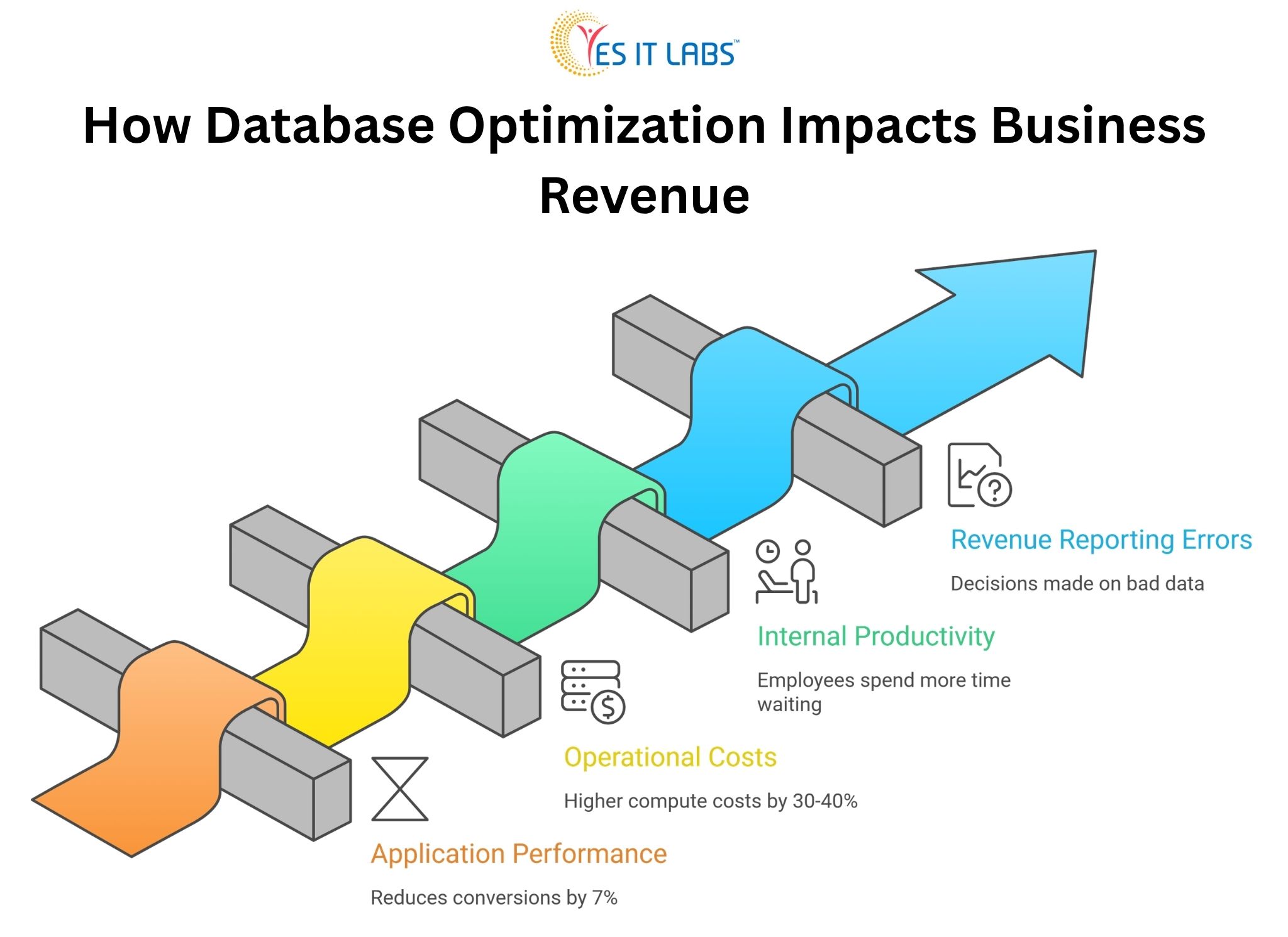
Application Performance and Customer Abandonment
Every 100 milliseconds of additional load time reduces conversions by roughly 7 percent, according to research that has been replicated across e-commerce, SaaS, and financial platforms. Most of that latency doesn’t come from network speed or frontend rendering. It comes from slow database queries.
A product listing page that queries an unindexed table with 5 million rows, running five times per second during peak traffic, will visibly lag. Users don’t know why. They just leave.
Operational Costs That Compound
Unoptimized databases consume more server resources. That means higher cloud infrastructure bills, more frequent scaling events, and more engineering hours spent firefighting performance incidents rather than building new features.
Companies running AWS RDS or Azure SQL without proper query optimization often see 30 to 40 percent higher compute costs compared to well-tuned equivalents handling the same workload. (source)
If rising infrastructure costs are becoming a concern, it’s often a sign of deeper system inefficiencies. See our guide on Maximizing ROI with Cloud ERP Solutions
Internal Productivity Loss
This one gets ignored constantly. When internal tools like dashboards, reporting systems, or admin panels run on poorly optimized databases, employees spend more time waiting on data. Finance teams running reports that take 20 minutes instead of 2 minutes lose hours per week. Multiply that across a company and it becomes a meaningful productivity drain.
Revenue Reporting Errors and Bad Decisions
Slow or inconsistent database reads sometimes produce stale or incomplete data in reporting pipelines. Business decisions made on bad data carry their own financial consequences that often never get traced back to the database layer.
The CRM and ERP Problem Is Bigger Than You Think
Custom-built internal systems are often where database problems quietly accumulate the most damage. When companies invest in CRM system development services, there’s enormous focus on feature scope, UI design, and integrations during the build phase. Database architecture sometimes gets treated as a secondary concern. Indexes are set up for the initial data volume, relationships are modeled for early use cases, and then the system gets handed off.
Two years later, the CRM is holding 3 million contact records with activity logs, pipeline entries, email histories, and custom fields. Queries that were fine at launch now scan full tables. The sales team complains the CRM is slow. Nobody connects it to the database.
The same pattern plays out with ERP systems. Organizations that invest in ERP software development services often inherit complex relational schemas with dozens of interconnected tables. Purchase orders linking to vendors, inventory, accounting, and production records create deeply nested query paths.
Without proper indexing and query planning, even simple lookups become expensive. In one documented enterprise case, an ERP system generating daily inventory reports was executing a query that took 18 minutes. After index restructuring and query rewriting, the same report ran in 47 seconds.
If your CRM is slowing down as data grows, it may be time to rethink the architecture. Explore how a custom-built approach solves these issues in our guide- 5 Reasons Why Your Business Needs a Custom CRM Solution
A Comparison: Optimized vs. Unoptimized Database Under Load
| Metric |
Unoptimized Database |
Optimized Database |
| Average query response time |
800ms to 3000ms |
50ms to 200ms |
| Peak CPU usage (same load) |
85 to 95% |
30 to 50% |
| Monthly cloud compute cost (mid-scale app) |
$4,200 |
$2,600 |
| Developer hours on performance incidents/month |
12 to 20 hours |
2 to 4 hours |
| Application error rate (timeout-related) |
4 to 8% |
Below 0.5% |
These are representative benchmarks from common optimization engagements, not a single specific case. Real results vary based on stack, data volume, and query complexity, but the directional difference is consistent.
Common Causes of Poor Database Optimization
Understanding what causes the problem is useful before jumping to solutions.
Missing or Redundant Indexes
This is the single most common culprit. A table without proper indexes forces the database engine to perform full sequential scans. At low data volumes this is invisible. At scale it’s catastrophic. Redundant indexes on the other hand waste write performance and storage.
N+1 Query Problems
This is a classic ORM-related issue where instead of fetching related data in a single joined query, an application fires one query per record. Loading 500 orders and then querying each order’s customer record separately means 501 database hits where 1 join would do. Frameworks like Sequelize, Hibernate, and ActiveRecord all produce this pattern when developers aren’t careful about eager loading.
Schema Design That Doesn’t Reflect Real Query Patterns
A schema designed for data integrity doesn’t automatically support efficient reads. Highly normalized schemas are great for storage but can require expensive multi-table joins for common queries. Denormalization in strategic places, or introducing materialized views, can dramatically improve read performance for specific use cases.
No Connection Pooling
Opening a new database connection for every request is expensive. Without pooling, high-traffic applications spend a disproportionate amount of time just establishing connections, which contributes to latency even when the queries themselves are efficient.
Lack of Regular Maintenance
Tables get fragmented. Statistics become stale. The autovacuum doesn’t run properly. Logs fill up. These are operational hygiene issues that gradually degrade performance without triggering obvious alarms.
What to Do About It: Actionable Fixes for Businesses
Start With Slow Query Logging
Every major database engine supports this. Enable it, set a reasonable threshold (100ms is a good starting point), and spend a week collecting the worst offenders. Real data about actual slow queries is more valuable than any amount of theoretical architecture review.
Run EXPLAIN ANALYZE on Everything That Hurts
Before rewriting a query or adding an index, understand what the query planner is doing. The EXPLAIN output tells you where full scans are happening, which indexes are being used, and where the cost concentrates. Guessing at the fix without this step wastes time.
Address the N+1 Problem at the Application Layer
If you’re working with a Node.js backend, hire node.js experts who understand the ORM behavior of their tools deeply. The N+1 problem isn’t a database issue, it’s an application issue that the database suffers for. Fixing it requires code changes, not just database configuration.
Introduce Caching Strategically
Not everything needs to hit the database on every request. Reference data, configuration values, frequently accessed lookups, and aggregated reports are good caching candidates. Redis and Memcached are the standard choices. The key is invalidating caches correctly, which requires careful thought about data mutation patterns.
Normalize Schema Review Into Development Workflow
Schema changes should require the same rigor as API changes. Migration files should be reviewed for performance implications before they run in production. Adding a foreign key without an index on the referencing column is a common oversight that’s easy to catch in code review and painful to fix after the fact.
Bring in Full Stack Expertise for Complex Systems
For applications where the database is deeply integrated into business logic across multiple layers, you often need professionals who understand the full picture. When companies hire dedicated full stack developers for performance-focused engagements, they get people who can trace a slow user-facing action through the API layer, the ORM configuration, the query structure, and the database execution plan without siloing the problem.
Frequently Asked Questions: How Database Optimization Impacts Business Revenue
How do I know if my database is the reason my application is slow?
The clearest signal is high database response time visible in APM tools or server monitoring. If your application server CPU is low but page load times are high, the bottleneck is almost certainly I/O, and unoptimized database queries are the most common cause. Tools like New Relic, Datadog, and even built-in PostgreSQL statistics views can confirm this quickly.
What’s the first thing to optimize if I have no idea where to start?
Enable slow query logging and identify the five worst-performing queries by total execution time. Don’t sort by single-run duration, sort by total cumulative time across all executions. A 200ms query running 10,000 times a day is far more damaging than a 5-second query running twice a week. Fix the former first.
Does database optimization require downtime?
Adding indexes on PostgreSQL using the CONCURRENTLY option requires no table lock and no downtime. Most query rewrites and application-side caching changes also require no downtime. Schema restructuring is trickier and may require maintenance windows depending on the size of the tables involved. The majority of high-impact optimizations can be done without service interruption.
How often should database performance be reviewed?
For actively developed applications, a performance review should happen at major data volume milestones (10x growth is a good trigger), after significant new features that add tables or change query patterns, and as a scheduled quarterly practice for production systems with more than a few hundred thousand records. Waiting for performance complaints is reactive and expensive.
Can a cloud-managed database service handle optimization automatically?
Partially. Managed services like AWS RDS, Google Cloud SQL, and Azure Database for PostgreSQL handle operational maintenance like patching, backup, and basic autovacuuming. They do not automatically fix bad indexes, rewrite inefficient queries, or resolve application-level problems like N+1 patterns. Automated insights from services like RDS Performance Insights can surface problem queries, but the actual fixes require human decisions and code changes.
Conclusion
Poor database performance is not a technical curiosity. It is a business problem with measurable revenue consequences, and it rarely resolves itself without deliberate intervention. The gap between a well-optimized database and a neglected one shows up in customer experience, infrastructure costs, employee productivity, and ultimately in revenue numbers that get attributed to other causes because nobody thought to look at query plans.
The good news is that database optimization doesn’t require rebuilding from scratch. Most of the highest-impact improvements come from identifying the worst-performing queries and fixing them systematically. That work is well-understood, repeatable, and delivers results quickly when approached with the right expertise and the right tools.