Multi-model AI is the practice of using different AI models for different tasks instead of building an entire application around a single provider. For small businesses and startups, this shift matters because it means paying for the AI capability a task actually needs, instead of running one expensive model for everything from simple lookups to complex reasoning.
Tools like OpenRouter make this shift practical for smaller teams. Instead of building and maintaining a separate integration for every model a business wants to try, OpenRouter provides one point of access to many of them.
For a startup or small business operating without a large internal engineering team, that difference is often the gap between experimenting with AI and actually shipping it.
Why One AI Model Rarely Covers Everything a Small Business Needs
The Limits of Relying on a Single Model
A growing business rarely has just one kind of AI workload. Customer support chat needs speed and consistency. Document processing and research need stronger reasoning. Content generation needs a different balance of creativity and control. Running all of this through one model usually means overpaying for the easy tasks and underperforming on the hard ones.
The Risk of Depending on One AI Provider
For a small business, depending on a single AI provider carries more risk than it does for a large enterprise with a bigger budget to absorb changes. A pricing change, a rate limit, or downtime on one provider can affect a feature customers rely on directly, with no backup plan in place. A multi-model approach gives a business room to switch or add providers as pricing, performance, or availability changes.
A growing business may need different AI models for support, research, document processing, and content creation. Exploring AI tools every developer should know helps businesses choose the right tools for each workload.
How a Small Business Can Actually Connect Multiple AI Models
Building One Integration Layer Instead of Several
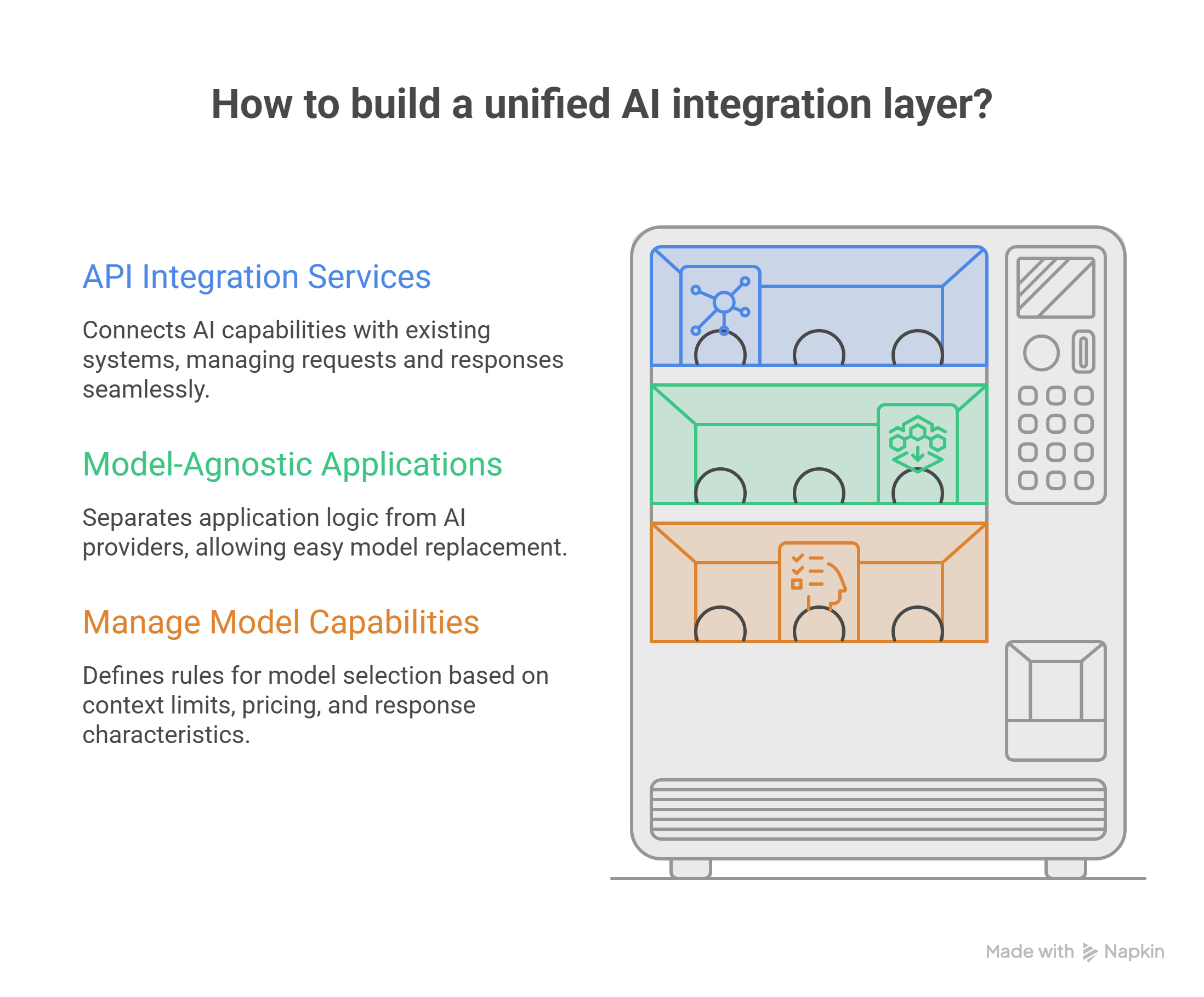
Connecting multiple AI models requires an architecture that handles requests, authentication, model selection, responses, and errors in one place. This is exactly the kind of work our API Integration Services are built for, connecting AI capabilities to your existing applications, customer data, and business tools so each request reaches the right model and returns a result, without your customers ever needing to know which model handled it.
Designing Applications That Aren’t Locked to One Model
A model-agnostic setup keeps the application’s logic separate from whichever AI provider is doing the work behind it. In practice, this means a developer can swap or add a model later without rebuilding the rest of the application around it, which matters most for a business that expects its AI needs to keep changing.
Matching the Right Model to the Right Task
Each model comes with its own context limits, pricing, and response behavior. Setting clear rules for when a particular model gets used turns model selection into a routine part of the workflow, rather than a one-time decision made during development and never revisited.
What Changes Once a Business Isn’t Locked to One Model
- Matching models to specific tasks. A lightweight, low-cost model can handle simple requests, while a stronger model is reserved for tasks that actually need it.
- Better Cost Control. Spending scales with task complexity instead of running every request through the most expensive option available.
- Easier adoption of new models. New models with better pricing or performance can be introduced into part of a workflow without redesigning the whole system around them.
What Is OpenRouter?
OpenRouter is a unified API that gives developers a single point of access to a wide range of AI models, so teams can compare cost, speed, and capability without building and maintaining a separate integration for every provider they want to test.
For a small business, this means a team can try a new model for a specific task, like document summarization or customer support, without committing an engineer to months of integration work first. It fits naturally into the kind of setup our Business Automation & AI Integration Services build for growing businesses: connecting AI capability directly into the tools a team already uses for support, content, and day-to-day operations.
Why Flexible AI Workflows Matter More for a Growing Business Than a Large Enterprise
It’s tempting to think multi-model architecture is an enterprise-scale concern. In practice, the opposite is often true. A large company can absorb the cost of a bad AI vendor decision far more easily than a small business can.
- Reducing vendor lock-in. A pricing change from a single provider hits a tighter budget harder, and a flexible setup means that change doesn’t force a full rebuild.
- Scaling without starting over. As request volume grows, workloads can be split across models to manage cost and performance, instead of one model becoming a bottleneck.
- Testing new models without disruption. A flexible workflow lets a business try a new model in one part of the system and judge it on real results, not assumptions, before committing further.
Building Smarter AI Systems With Model Orchestration
Coordinating AI Models
Model orchestration coordinates models, APIs, and workflow steps so each request follows the right path through the system, an approach that applies directly to the kind of business automation and AI integration services growing businesses are increasingly asking for.
AI Model Routing
Routing decides which model handles a given request based on complexity, cost, speed, and the data involved, sending simple tasks to lightweight models and complex analysis to stronger ones.
LLM Orchestration
Orchestration connects multiple stages of a workflow together. One model can extract information, another can analyze it, and a third can generate the final output, creating a structured process instead of one model trying to do everything at once.
Switching Between Models
With abstraction and routing already in place, testing a new model, replacing an underperforming one, or adding an alternative doesn’t require rewriting the application’s core logic.
What to Watch Out For Before Adopting Multi-Model AI
For a business without a dedicated internal AI or security team, a few things are worth planning for before adoption, not after:
- Security and data privacy. Understand how data is handled as requests pass through different services, and add extra controls around anything sensitive.
- Managing multiple integrations. Different models come with different APIs, pricing structures, and response formats, which needs consistent monitoring to manage well.
- Output consistency. Different models can produce different writing styles or reasoning patterns, so it helps to set a clear standard for what “good output” looks like before rolling a feature out.
- Performance and cost tracking. Watching response time, error rates, and cost over time makes it easier to know when a model change is actually justified, rather than guessed at.
To evaluate which tools best fit your operational stack, you can examine the top machine learning models powering AI to compare performance standards and core architecture capabilities before making a final selection.
How YES IT Labs Helps Growing Businesses Build Multi-Model AI Systems
If your team is exploring AI features but doesn’t have engineers on staff who specialize in Model Orchestration, this is exactly the kind of work our team handles for startups and small businesses every day. We design the integration layer, help choose the right model for each workload, and build systems that stay flexible as new models come out, without requiring a large internal engineering team to maintain it.
If you already have an AI feature tied to a single provider and it’s starting to show its limits, cost creeping up, performance inconsistent, or a provider change forcing your hand, we can also step in and rework the existing setup rather than starting over from scratch. That’s true whether the AI feature was custom-built from the ground up or came out of an AI prototyping tool that now needs to be made production-ready.
Contact YES IT Labs today for Expert AI Systems Consultation
Conclusion
The AI ecosystem is expanding quickly, and growing businesses now have more practical options for building AI-powered features than at any point before. A multi-model strategy helps a business balance cost, performance, and flexibility, while reducing how much of its future depends on any single provider’s decisions.
For a small business or startup, building this flexibility in from the start can save both money and rework later, without needing an internal team dedicated to AI infrastructure. OpenRouter and the shift toward multi-model AI point to something bigger than one tool: a move toward systems that a small, resource-conscious team can actually build, run, and adapt over time, instead of being locked into one vendor’s roadmap.
Frequently Asked Questions
What is multi-model AI, and why does it matter for a small business?
Multi-model AI means using different AI models for different tasks instead of routing everything through one. For a small business, it means paying for the right level of capability per task rather than overpaying for a single model to handle everything, which helps control cost as AI usage grows.
Do I need a large engineering team to use multiple AI models?
No. Tools like OpenRouter provide one point of access to many models, removing the need to build a separate integration for each one. Our team can also build and manage this integration layer directly, so a business doesn’t need in-house AI specialists to get started.
What is OpenRouter used for?
OpenRouter is a unified API that gives developers access to a wide range of AI models through one integration, making it easier to compare cost, speed, and capability, and to switch between models without rebuilding an application from scratch.
Is switching between AI models expensive or disruptive for an existing product?
It depends on how the application was originally built. If it was built model-agnostic, with the AI logic kept separate from the application’s core code, switching models is usually straightforward. If it’s tightly coupled to one provider, switching takes more work, which is often where a rebuild of the integration layer helps.
How do I know if my business is ready for a multi-model AI approach?
A few signals are worth watching for: relying on one AI provider for a feature customers depend on, hitting a cost or performance ceiling with your current model, or running multiple distinct AI workloads, like support and content generation, through the same setup. Any of these is a reasonable point to start exploring a more flexible architecture.